● Your agents, in chat

The assistant that keeps watching after you close the panel.

Personal AI is My Agents inside the AI assistant. You write what to check – weekday cover, a slipped sample, styles that went quiet – and it reports back to you on a schedule. Only you can see or change those agents.

Book a Demo

60-minute walkthrough · no commitment

Used by Boardriders, Taking Shape, M.J. Bale and 30+ apparel brands. See customer stories

Built for one person, on that person’s data

Every signed-in user manages their own agents in Chat. There is no admin ticket to start one.

Only you see them

Personal agents belong to you. A colleague cannot open, edit or disable yours from their login.

They see what you see

Each agent is limited to the styles, orders and planner views your role already allows. It does not widen access.

Lives in the assistant

Open Chat, then My Agents. The same panel you already use to ask a question is where you add a watch.

What you write

Plain language, then a clock

Name the agent, describe what it should look at, and choose a schedule – or a condition that should fire it. Write it the way you would say it.

  • Example: every weekday morning, list styles with less than four weeks of cover
  • Schedule on a clock, or a condition it should watch for
  • Enable or pause without deleting the instruction
How it reaches you

In-app, email, a comment, or back in chat

Pick at least one delivery channel. The report lands where you already work – not in a second inbox you have to remember to open.

  • In-app notification
  • Email
  • Comment on the record
  • Chatbot

Personal is not the company watch

Two scopes, one assistant family. Chat is still the place you ask a question right now.

Need the picture, not a watch?

That is AI Studio. Lookbook angles and colourways generated on the style you already built.

Lookbook · A-line Dress · RoseAI Studio
A-line Dress lookbook, front
Front
A-line Dress lookbook, three-quarter
Three-quarter
A-line Dress lookbook, back
Back
A-line Dress lookbook, neckline detail
Detail
Worn looks and colourwaysOn the style
Worn blouse generated on the style
Worn look
Worn shirt generated on the style
Worn look
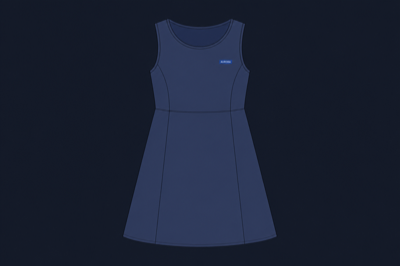
A-line Dress colourway, navy technical flat
Navy flat
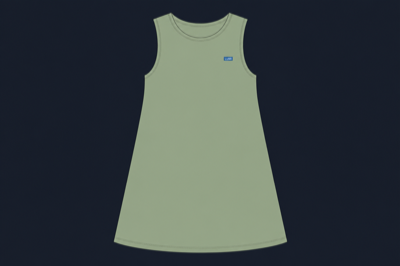
A-line Dress colourway, sage technical flat
Sage flat
Full AI Studio walkthrough →

Common questions

Personal agents on the apparel PLM.

What is Personal AI?

My Agents inside Chat. You describe what to watch; it checks on a schedule and reports back to you.

Different from chat?

Chat is the conversation you start. Personal agents keep watching after you close the panel.

Can a colleague see mine?

No. Personal agents are yours. Organisation-wide agents are a separate admin register.

Do they see the whole company?

No. Each agent sees exactly the data you can.

See a personal agent on your styles

Give us 60 minutes and we will set a watch on a range you already know. No commitment.

Book a Demo

60-minute walkthrough · no commitment